
Rope access · Construction
Live since 2026
Every tool, with a name next to it
A platform where workers take, return, transfer and book tools by chatting with a bot, and the office sees who has what, where, and in what condition.
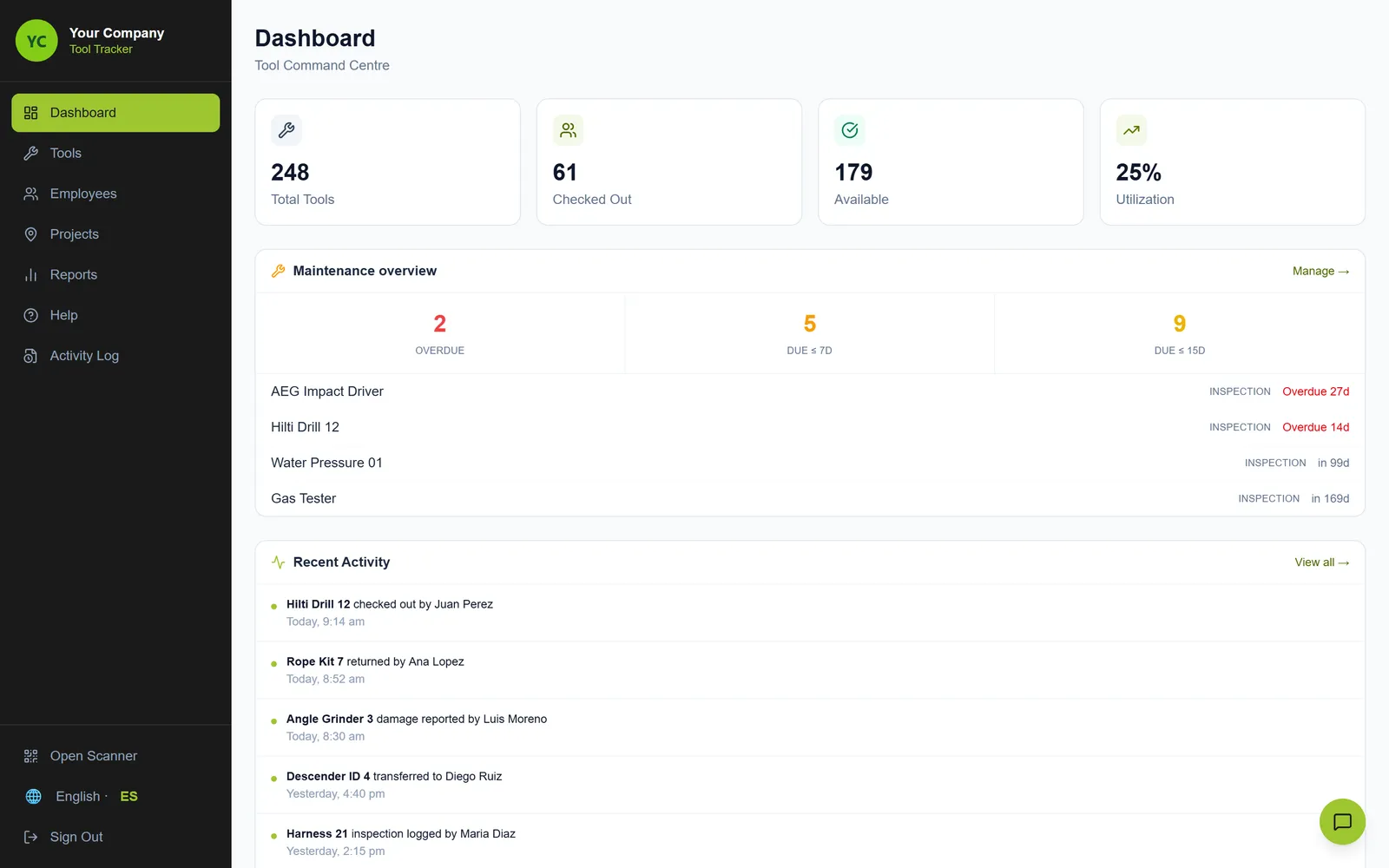
Inside the platform
Real screens of the platform the team and the office use every day, shown with example data. Tap any screen to enlarge it.
Live dashboard
Tools out, available and in service, maintenance due, and every movement as it happens.
Where every tool is
Each job site on a map, with the tools working there right now.
Full history per tool
Every check-out, return, transfer and booking, with condition photos and service records.
Staff management
The team, their roles and sites, and the tools each person holds. Invites go out by Telegram.
Tool bookings
Reserve tools for a date and a site, so the right gear is ready before the job starts.
Inspections and service
Scheduled inspections, services and certifications, with alerts before they are due and certificates attached.
Usage reports
Daily activity, most used tools, most active workers and stock per site. CSV and PDF export.
Full inventory
Every tool with its QR code, category, status and holder. Search, filter and print labels.
Scan with the phone
Point the camera at the QR and take the tool.
Hand over with a photo
The bot asks for a photo and the condition before the tool changes hands.
Owner report
Every Friday, a summary arrives without asking.
The challenge
A rope access contractor runs several job sites at once. Drills, grinders, ropes and harnesses move between workers and sites every day.
Tracking lived in spreadsheets and messages. Nobody could say for sure who had a tool, where it was, or what state it was in when it was handed over. Inspections and maintenance depended on someone remembering.
How it works
Workers use what they already have on their phone. Everything else happens on its own.
- 1
Scan or ask
The worker scans the tool's QR or writes to the bot in plain English or Spanish.
- 2
The AI understands
The assistant handles around 40 actions: take, return, transfer, book, report damage, find a tool.
- 3
Photo and condition
Every handover records a photo and the tool's condition.
- 4
Live inventory
Who has each tool, on which site, and in what state, updated in real time.
- 5
Alerts and approvals
Supervisors approve requests and get alerts for damage, overdue tools and inspections.
- 6
Owner reports
A weekly and a monthly report reach the owner without asking.
Managed by chat
Real flows from the bot, with example data.
Tools Bot
bot
Where is drill 12?
Drill 12 is with Juan at the North Tower site since Monday. Condition: good.
Tools Bot
bot
Assign drill 12 to Juan
Send a photo of drill 12 before handing it to Juan, or type /skip.
What condition is it in?
Done. Drill 12 is now with Juan at North Tower. Saved to the history.
Tools Bot
bot
Book rope kit 7 for Bay Bridge tomorrow
Booked: rope kit 7 for Ana at Bay Bridge, Thursday 16 Oct. I'll remind her at 6:30 am.
What the platform does
QR and barcode scanning
Any phone camera works. No special hardware.
Take, return, transfer
One tool or many at once, between workers and sites.
Condition photos
The state of each tool is recorded with a photo on delivery, return and warehouse reception.
Staff management
Team members, roles, sites and the tools each one holds, with invites by Telegram.
Bookings
Reserve a tool for a date and a site. Conflicts are flagged before they happen.
Inspection scheduling
Inspections, services and certifications with reminders 30, 21, 14 and 7 days before, and certificates attached.
Requests and approvals
Workers request, supervisors approve or reject, and everyone is notified.
Usage analytics
Most used tools, most active workers and activity per day, exported to CSV or PDF.
Site map
Every job site on a map, with the tools working there.
AI assistant
On Telegram and the web, in plain English or Spanish.
Owner reports
Daily supervisor summary, plus weekly and monthly owner reports.
Roles and security
Worker, supervisor and admin roles, invite-only access, data locked per user.
How the business improves
Every tool has an owner
The office always knows who has each tool and on which site.
Clear responsibility
A photo and a condition at every handover settle questions before they start.
Inspections on time
Reminders arrive before a tool is due, not after it fails.
Less admin for supervisors
Requests, bookings and approvals happen in chat instead of spreadsheets and calls.
The owner sees it without asking
Weekly and monthly reports arrive on their own.
Nothing new to learn
Workers use Telegram and the browser they already know.
Real screens of the platform with example data. Client names and data are kept private.
Need something like this?
Tell us how your team works. The diagnosis is free.